 AI Web Marketing Tools
Google Business Profile optimizer for HVAC companies: a map presence for every season
The Google Business Profile optimizer for HVAC companies sets categories that cover heating, cooling and installation, seasonal hours and emergency availability, then prepares photos and posts that follow the weather. Every part is ready to paste, with matching details for Bing Places and Apple Business Connect.
Write your Google Business Profile
Heating and cooling searches swing with the weather, and the companies in the map box during a heatwave or a cold snap can book weeks of work in a few days. Whether your company appears there depends heavily on its Google Business Profile, from the categories it uses to the hours it shows during peak season. Many HVAC profiles were set up once and left, so they show only one category, summer hours in winter and photos of a van that was sold years ago. A profile that is tuned for both seasons can rank for cooling in July and heating in January without paying for every click. The AI Google Business Profile Optimizer prepares each part of that profile for heating and cooling work and plans the weekly upkeep. This page covers the setup that keeps an HVAC company in the map all year.
Categories that cover heating, cooling and everything between
An HVAC company does several kinds of work, and its categories should reflect that range honestly. A common choice is HVAC contractor as the primary category, with secondary categories for air conditioning repair, heating contractor or furnace repair where they describe real services. Companies that also do ductwork, indoor air quality or commercial refrigeration can add categories for those lines when Google offers them. Each category opens the profile to a family of searches, so a missing heating category can cost a whole winter of calls. The tool compares the categories used by the HVAC companies leading your map and recommends a set with the reason for each. It never suggests adding service words to the company name, which risks suspension and confuses customers.
Services and brands then add the detail homeowners search for. Each service, such as AC repair, heat pump installation, furnace replacement, duct cleaning or maintenance plans, can be listed with a short plain description. Brands matter in HVAC, because many homeowners search for a company that services the system they already own. The description can name the brands you install and service, your licence, your years in business and the towns you cover. Google does not allow links or promotional wording there, so the tool keeps it factual and within the length limit. A profile that names its brands and services clearly meets homeowners exactly where their search begins.
Seasonal hours and emergency availability
HVAC hours often change with the season, and the profile should change with them. Extended summer hours, weekend availability during heatwaves and emergency heating service in winter all deserve to be shown accurately. A profile that shows closed on a sweltering Saturday when your technicians are working loses the calls that matter most. Equally, a profile that promises round the clock service when calls go unanswered damages trust quickly. The tool prepares a set of hours for each season ahead of time, so switching them when the weather turns takes a minute. Accurate seasonal hours let the map send you calls at the moments homeowners need you most.
Service area settings matter for HVAC companies that visit homes rather than receive customers at a showroom. A service area profile can hide the yard address and instead list the towns and districts the company covers. Choosing the real towns your technicians reach helps the profile appear for searches there, although distance still affects ranking. Companies with a showroom where customers can see equipment may show the address as well, which suits replacement buyers who want to visit. The tool explains which arrangement fits your business and prepares the details accordingly. A clear service area keeps the calls coming from places your vans can actually reach.
Photos and posts that follow the weather
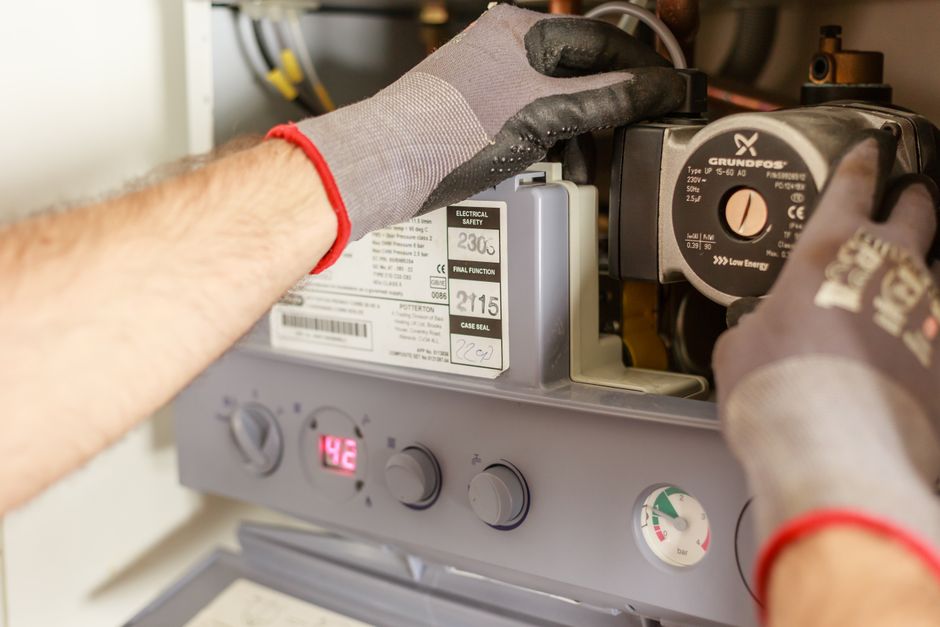
Photos for an HVAC profile should show the full range of the business through the year. The tool prepares a list that includes technicians servicing outdoor units, furnace and boiler work, new installations, clean ductwork and the company vans. Photos of finished installations help replacement buyers picture the result in their own home. Adding new photos each month, especially at the start of each season, keeps the profile looking active. Each photo should be named in plain words describing the work before it is uploaded. A gallery that shows both heating and cooling tells homeowners the company can help whatever the weather.
Weekly posts let the profile speak to the season before homeowners even search. The tool plans posts such as spring AC tune ups, summer tips for keeping cool efficiently, autumn furnace checks and winter advice on frozen heat pumps. Maintenance plan posts are especially useful, since they build recurring work and remind past customers to book. Each post carries a clear action, such as book a tune up or call for repair. You approve every post before it goes live, and the plan keeps the profile active through slow months. Posts that follow the weather keep your company in mind before the next peak arrives.

The HVAC profile, part by part
An HVAC profile works best when every part supports the seasonal rhythm of the trade. The table below lists the parts, what the tool prepares for each and how each affects the calls you receive. Once the first setup is done, keeping these parts current usually takes a few minutes a week. Paid programmes such as Local Services Ads are separate from the profile, and the tool keeps the two apart. Strengthening the profile first makes every paid option work harder later. With each part in place, the profile earns calls in both peaks and the quieter months between them.
| Part of the HVAC profile | What the tool prepares | Effect on calls |
|---|---|---|
| Categories | HVAC contractor plus heating and cooling specialties | Visible for both summer and winter searches |
| Services and brands | Each service and the brands you install or repair | Matches homeowners searching for their system |
| Seasonal hours | Summer, winter and emergency hours kept truthful | Peak season calls reach a company that answers |
| Service area | The towns your technicians really cover | Calls come from places your vans can reach |
| Photos | Heating and cooling work through the year | Replacement buyers trust the quality of your installs |
| Weekly posts | Seasonal advice and maintenance plan reminders | Recurring work and an active profile |
Reviews and matching details on every map
Reviews carry special weight for HVAC because new systems are large purchases. The AI Review Management Tool asks each customer for a review a few days after the visit, using your direct review link. Reviews that mention honest advice, quick arrival in extreme weather and tidy installations strengthen the profile for the searches that matter. The tool drafts replies that thank customers and handle any complaint calmly, ready for you to approve. A steady flow of reviews through both seasons shows that the company performs consistently. That record is often the deciding factor when a homeowner chooses between two similar companies.
Bing and Apple Maps deserve the same accurate details, since homeowners and assistants use them too. The tool prepares matching information for Bing Places and Apple Business Connect, including seasonal hours, categories and service areas. When the season changes, one checklist shows every map side by side so a single update keeps them aligned. Consistent maps prevent the lost calls that come from outdated hours during a heatwave. They also support your visibility in AI answers, which favour companies with matching facts across sources. The full method is set out in the guide to the Google Business Profile optimizer.
Seeing which season the profile wins
An HVAC profile should be judged by the calls it brings in each season, not by a single ranking. Profile insights show calls, direction requests and website visits, and a tracked link shows which visits came from the map. The monthly report places these numbers beside the work done, such as new categories, seasonal posts or fresh reviews. Comparing summer and winter months shows whether the profile is equally strong for heating and cooling. When one season lags, the report points to the part of the profile that needs attention before the next peak. This measurement keeps the profile working for the whole business rather than half of it.
Prepare your HVAC profile before the next peak
A first reading shows how your profile compares with the heating and cooling companies leading your map. The first reading of the AI online marketing tools that compare HVAC companies across your towns on the homepage takes about a minute. It shows which companies appear for cooling and heating searches near you and what their profiles include. After you sign up, the AI Google Business Profile Optimizer opens with your company details ready and its first recommendations prepared. The trial covers preparing the core of your profile before you decide on Pro. Results grow faster when channels support each other, and how AI marketing for HVAC companies joins every channel is laid out on one page. Getting the profile right before the next heatwave or cold snap can fill your calendar when demand arrives.
Questions about the Google Business Profile optimizer for HVAC companies
- Which categories should an HVAC company use?
- Categories that cover heating, air conditioning and installation, chosen from those the leading local companies use.
- Should an HVAC profile show seasonal hours?
- Yes. Hours and emergency availability should match when you really answer, especially during peak seasons.
- What photos work best on an HVAC profile?
- Real photos of installations, service visits and your team, refreshed as the seasons change.
- How do I see which season the profile wins?
- Calls and direction requests are tracked month by month, so you can compare each season.